
 Chinese
Addressable LED strips have become the preferred lighting solution for modern commercial projects, including architectural decoration, retail store lighting, stage displays, hospitality ambiance, and smart building systems. Unlike traditional non-addressable LED strips that only support single-color or whole-strip control, digital addressable LED strips allow individual pixel control. Each LED unit can display independent colors, brightness levels, and dynamic animations, enabling flexible and customized lighting design for B2B bulk projects.
Programming addressable LED strips is the core step to realizing personalized dynamic lighting effects. For business buyers, project contractors, and lighting engineers, mastering standardized programming workflows helps improve project efficiency, reduce on-site debugging time, and ensure stable long-term operation of LED lighting systems. This guide systematically explains pre-programming preparation, mainstream programming methods, step-by-step operation processes, and professional optimization tips, suitable for all types of WS2812B, SK6812, APA102, and DMX512 addressable LED strip products.
What Are Addressable LED Strips & Their B2B Application Value
Addressable LED strips, also known as digital programmable LED strips, are equipped with built-in IC chips inside each LED pixel or group. The dedicated data signal line transmits control instructions, allowing the controller to accurately locate and program every single LED. This core feature supports diverse dynamic effects such as color chasing, gradient fading, strobing, marquee scrolling, and synchronous linkage.
In B2B commercial scenarios, programmable addressable LED strips deliver outstanding practical value:
- Project Customization: Support exclusive dynamic lighting schemes for brand stores, exhibition booths, and hotel lobbies to enhance brand visual recognition
- Intelligent Linkage: Compatible with smart building control systems, supporting timed switching, scene mode switching, and remote adjustment
- Cost-Effective Debugging: Standard programming protocols reduce equipment adaptation costs and after-sales maintenance pressure for engineering projects
- Stable Commercial Operation: Mature programming matching ensures low failure rate and long-term stable operation for long-time commercial lighting scenarios
Pre-Programming Preparation: Tools & Device Matching
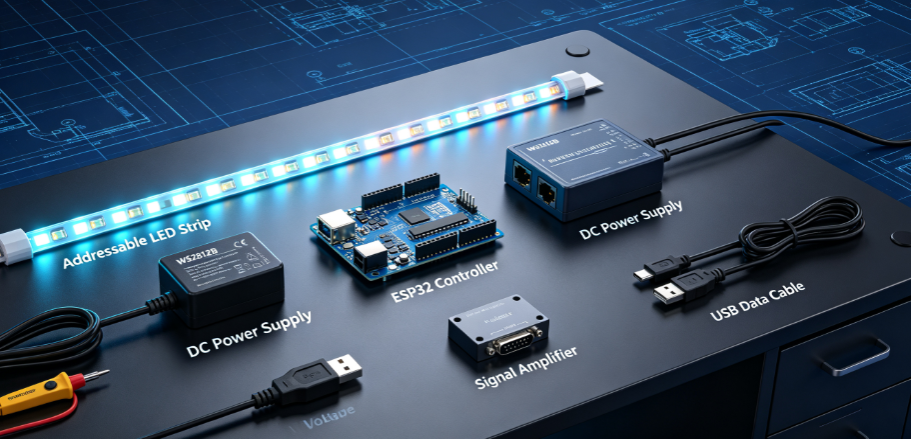
Before programming addressable LED strips, complete device matching and tool preparation to avoid signal mismatch, strobing, or non-display issues in subsequent debugging. The required equipment covers LED strip products, control hardware, programming tools, and power supply systems, fully adapting to B2B engineering project standards.
Core Equipment List
- Addressable LED Strip: Confirm model parameters (WS2812B/SK6812/APA102), voltage (5V/12V/24V), and pixel density (30/60/120 LEDs/m)
- Programmable Controller: Microcontrollers (Arduino, ESP32, ESP8266), professional LED offline controllers, or DMX master controllers
- Power Supply: Regulated DC power supply matching strip voltage and current to ensure sufficient power load for long-strip engineering use
- Auxiliary Tools: USB data cable, Dupont lines, voltage tester, and signal amplifier (for ultra-long strip engineering projects)
- Programming Software: Arduino IDE, WLED firmware, FastLED library, or manufacturer-specific offline effect editing software
Mainstream Addressable LED Strip & Controller Matching Table
|
LED Strip Model
|
Signal Protocol
|
Recommended Controller
|
Applicable Scenarios
|
Programming Difficulty
|
|---|---|---|---|---|
|
WS2812B
|
Single-wire unidirectional signal
|
ESP32, Arduino, WLED Controller
|
Retail decoration, home intelligence, small and medium engineering projects
|
Low
|
|
SK6812
|
Single-wire signal (RGBW support)
|
ESP32, dedicated RGBW controller
|
High-color-rendering commercial lighting, white light mixing scenes
|
Low-Medium
|
|
APA102
|
Dual-wire SPI high-speed signal
|
ESP8266, professional SPI controller
|
High-speed dynamic effect, stage performance lighting
|
Medium
|
|
DMX512 Addressable Strip
|
DMX universal protocol
|
DMX master controller, engineering console
|
Large-scale architectural lighting, commercial square projects
|
Medium-High
|
3 Mainstream Methods to Program Addressable LED Strips (B2B Practical)
According to different project scales, technical thresholds, and usage scenarios, we summarize three most practical programming methods for addressable LED strips, covering novice quick debugging, custom code development, and large-scale engineering batch use.
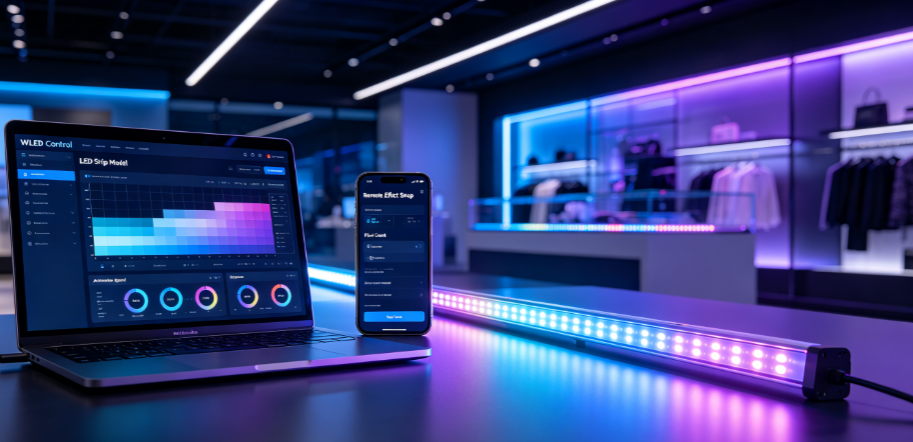
Method 1: WLED Firmware Programming (Quick Commercial Deployment)
WLED is the most popular open-source firmware for smart addressable LED control, suitable for B2B users who need fast deployment and no complex coding. It supports web page visualization debugging, mobile phone remote control, and one-click preset of dozens of dynamic effects, widely used in medium and small commercial lighting projects.
Step-by-Step Operation
1. Flash the WLED official firmware into ESP32/ESP8266 controller via flashing tools
2. Complete network pairing, connect the controller and addressable LED strip according to the positive-negative-data wiring standard
3. Log in to the WLED web backend, select the corresponding LED strip model, pixel quantity, and signal channel
4. Preset dynamic effects, adjust color temperature, brightness, and animation speed, and support custom effect combination
5. Save scene parameters, support power-off memory and timed automatic operation, meeting commercial continuous use needs
B2B Advantages: Shorten project debugging cycle, no professional coding skills required, support batch equipment parameter synchronization, stable operation and low maintenance cost.
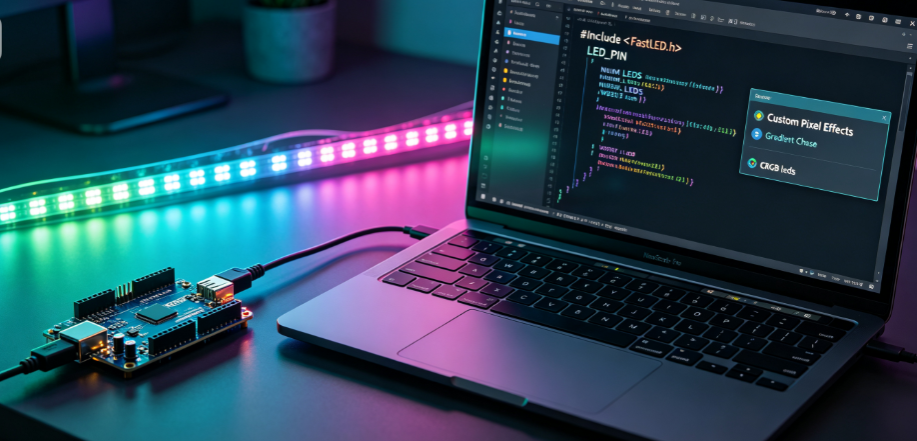
Method 2: Arduino & FastLED Library Coding (Custom Effect Development)
For engineering projects requiring exclusive customized lighting effects, Arduino combined with FastLED library programming is the most flexible solution. It supports independent programming of each pixel, realizing exclusive dynamic effects that cannot be achieved by preset firmware, suitable for high-end commercial customization projects.
Core Programming Steps
1. Install Arduino IDE software and import the professional FastLED library
2. Define basic parameters in the code: LED strip model, total pixel number, data pin, and color gamut mode
3. Write custom logic codes: single-pixel color setting, gradient transition, running water effect, synchronous flashing and other dynamic logics
4. Connect the hardware circuit, upload the code to the Arduino main control board
5. Power on and debug, optimize effect parameters according to on-site project requirements
B2B Advantages: Highly customizable effects, meet personalized design needs of brand stores and exhibition projects, support secondary development and function expansion.
Method 3: Offline Controller Programming (Large-Scale Engineering Projects)
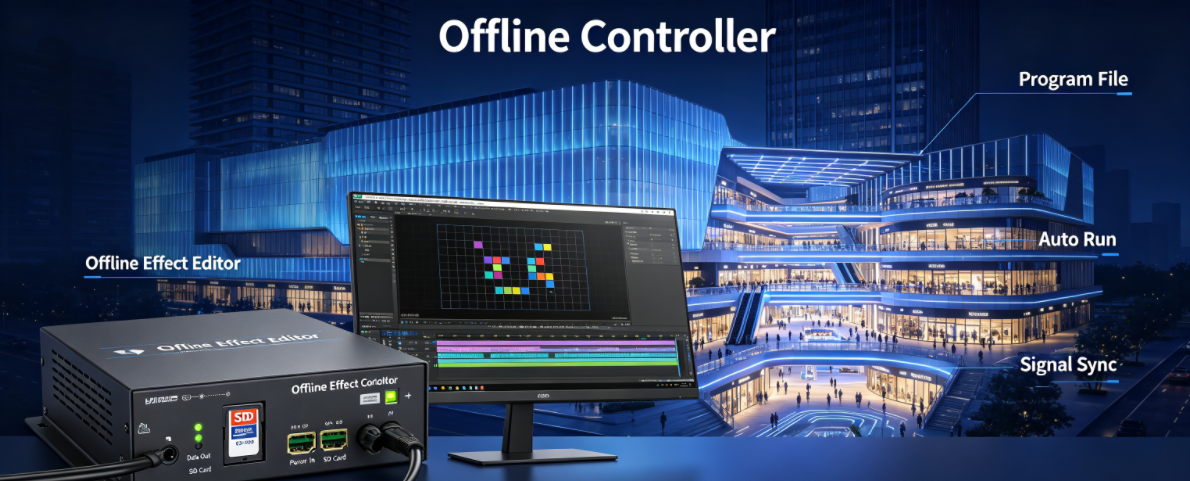
For large-scale commercial lighting projects such as building outline lighting, shopping mall atriums, and scenic spot lighting, professional offline LED controllers are the best choice. Users can edit effects through computer software, import program files to the controller, and realize offline automatic operation without equipment networking.
Operation Process
1. Install the dedicated effect editing software matching the offline controller
2. Create a new project, set the LED strip quantity, pixel arrangement, and signal protocol
3. Drag and edit dynamic effects, splice multiple scene modes, and set switching intervals
4. Export the program file and save it to the controller’s SD card or built-in memory
5. Power on the equipment, the controller automatically reads the program and runs circularly
B2B Advantages: Support ultra-long strip cascade control, stable offline operation, no network dependence, suitable for large engineering batch deployment and long-term unmanned operation.
Professional Programming Optimization Tips for B2B Projects
Commercial LED lighting projects have higher requirements for stability, consistency, and durability. The following optimization tips can effectively reduce on-site faults and improve project delivery quality:
- Signal Stability Optimization: Add signal amplifiers for strips longer than 5 meters to avoid signal attenuation, pixel out-of-sync and partial non-lighting problems
- Power Load Matching: Configure independent power supply for long strips to prevent voltage drop caused by excessive load, resulting in dim tail LED brightness
- Parameter Standardization: Uniformly set animation speed, brightness limit and color parameters for batch projects to ensure consistent overall lighting effect
- Power-Off Memory Setting: Enable power-off memory function to avoid repeated debugging after equipment restart, improving operation efficiency
- Low-Brightness Anti-Strobe: Optimize PWM dimming parameters to eliminate low-brightness strobing, meeting commercial high-definition shooting and viewing needs
FAQ: Common Programming Problems & Professional Solutions
We sort out the most frequently encountered problems in B2B project programming and debugging, providing targeted solutions for engineers and purchasers.
Q1: Why do addressable LED strips flicker or fail to display after programming?
A: The main causes include mismatched strip model and protocol, insufficient power supply voltage, wrong data pin wiring, or unstable signal transmission. Solutions: confirm model parameter matching, replace matched regulated power supply, check wiring sequence, and add signal amplifier for long-distance transmission.
Q2: Can programmed LED strips realize synchronous linkage of multiple zones?
A: Yes. Professional controllers and WLED firmware support multi-device synchronous linkage. For large projects, unified program parameter configuration and signal synchronization settings can realize consistent dynamic effects of multiple LED strip zones.
Q3: Is professional coding ability required for programming addressable LED strips?
A: Not necessarily. For conventional commercial effects, you can use visual editing software and WLED preset modes without coding. Custom advanced effects only need basic open-source library application, and our supporting controllers provide complete parameter templates to reduce development difficulty.
Q4: How to ensure long-term stable operation of programmed LED lighting systems?
A: Adopt industrial-grade addressable LED strips and controllers, match standard power supply schemes, avoid over-load operation, and enable power-off memory and fault self-checking functions. Standard programming parameter settings can effectively reduce equipment loss and failure rate.
Q5: Are your LED strips compatible with all mainstream programming controllers and firmware?
A: Our full series of addressable LED strips (WS2812B, SK6812, APA102, DMX512) support all mainstream open-source firmware and professional engineering controllers, with complete protocol compatibility. We provide B2B customers with matching programming guides and parameter templates to support one-stop project deployment.
Conclusion
Programming addressable LED strips is a flexible and standardized technical process. Choosing a reasonable programming method according to project scale and customization needs can efficiently realize high-quality dynamic commercial lighting effects. Whether it is small-scale store decoration, medium-sized space customization, or large-scale architectural lighting engineering, standardized programming and debugging processes can significantly improve project stability and delivery efficiency.
As a professional B2B LED strip manufacturer, we provide industrial-grade programmable addressable LED strips, matching controllers, and full-process technical support. We support customized pixel density, voltage parameters, and pre-programmed effect services for bulk orders, helping global business customers complete efficient and high-quality lighting project deployment.
Facebook:https://www.facebook.com/profile.php?id=100089993887545
Instagram:https://www.instagram.com/mingxuelighting.factory/
YouTube:https://www.youtube.com/channel/UCMGxjM8gU0IOchPdYJ9Qt_w
LinkedIn:https://www.linkedin.com/company/mingxue/
Post time: Aug-13-2026